In addition to drawing your own skeleton joints, you can also turn any SOP polygonal line into a joint chain with the Skeleton SOP node or the Rig Doctor SOP node.
스켈레톤 조인트를 직접 그리는 것 뿐만 아니라, Skeleton SOP이나 Rig Doctor SOP을 이용해서,
어떤 폴리곤 라인이든 조인트 체인으로 바꿀 수 있다.
In the network editor, create a SOP node that will generate a polygonal line,
for example, a Line SOP node.
네트워크 에디터에서 폴리곤 라인을 생성할 SOP 노드를 만든다.
예를 들어 Line SOP 노드를 사용하면 된다.
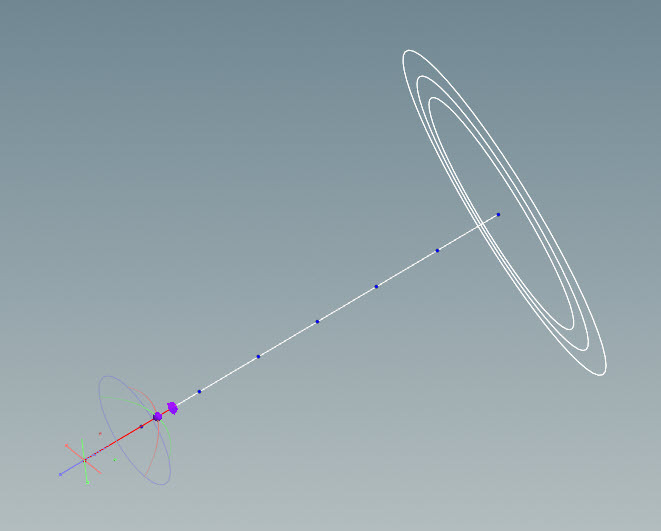
Select the Line SOP, click in the viewport, and press Enter.
The line geometry will be displayed in the viewport.
line SOP을 선택하고 뷰포트를 클릭해서 엔터를 누른다.
라인 지오메트리가 뷰포트에 표시될 것이다.
In the parameter editor, adjust the properties of the geometry.
For example, increase the Length and Points parameters for the Line SOP.
파라미터 에디터에서 지오메트리의 프로퍼티들을 조정한다.
예를 들어 Line SOP의 Length와 Points 파라미터 값을 늘린다.
Each point in the geometry will become a joint in the skeleton.
To see the points in the geometry, turn on Display Points on the right toolbar of the viewport.
지오메트리의 각 포인트는 스켈레톤의 조인트가 될 것이다.
지오메트리의 포인트를 보려면 뷰포트 오른쪽 툴바의 Display Points를 켠다.
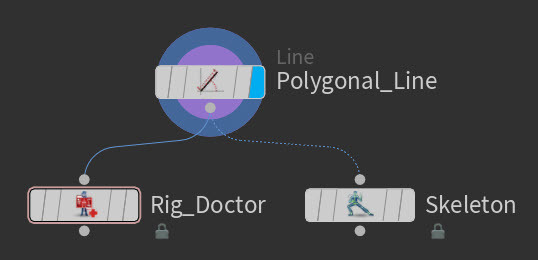
In the network editor, create a Rig Doctor SOP node or a Skeleton SOP node.
네트워크 에디터에서 Rig Doctor SOP이나 Skeleton SOP을 생성해라
Connect the Line SOP to the Rig Doctor SOP or Skeleton SOP.
These nodes initialize the point transforms for the geometry as well as give them valid names.
In KineFX, a valid hierarchy requires valid point names.
Line SOP을 Rig Doctor SOP 또는 Skeleton SOP에 연결한다.
이 노드들은 지오메트리의 포인트 트랜스폼을 초기화할 뿐만 아니라, 유효한 이름도 부여한다.
You can now see the new KineFX skeleton in the viewport.
이제 KineFX 스켈레톤을 뷰포트에서 볼 수 있다.
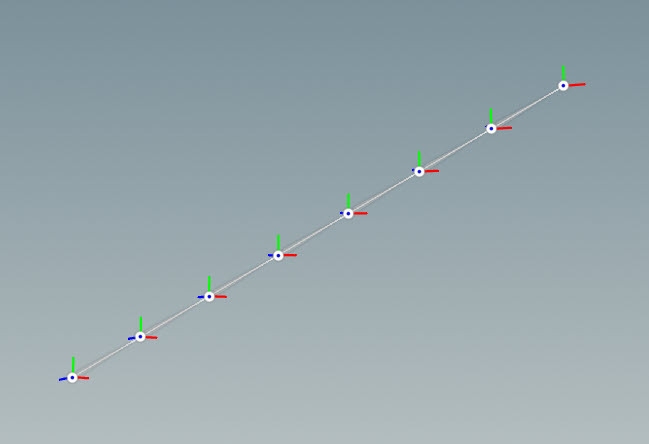
Joint chain generated by the Rig Doctor SOP and Skeleton SOP
리그 닥터 SOP과 스켈레톤 SOP에 의해 조인트 체인이 생성되었다.
Tip
If you want to visualize your joint chain outside the Rig Doctor SOP or Skeleton SOP, you can use the Visualize Rig SOP node.
조인트 체인을 리그 닥터 SOP 또는 스켈레톤 SOP 바깥에서 보고 싶을 경우,
Visualize Rig SOP을 활용한다.
https://www.sidefx.com/docs/houdini20.0/character/kinefx/skeletons.html
Working with skeletons
You can adjust the joint rotation axes for a joint chain using the construction plane. In the below example, we will be orienting the axes of an elbow in a biped arm. In the network editor, select the Skeleton SOP node. Click in the viewport and press Ente
www.sidefx.com


댓글