
개요
후디니의 구버전에서는 copy stamp를 사용하는 경우가 있었으나,
copy stamp가 폐기되면서 for each를 활용해 베리에이션을 줘야한다.
또는 copy to point의 piece attribute를 활용한다.
관련 방법을 소개하는 페이지를 공유한다.
방법
- 예제 파일
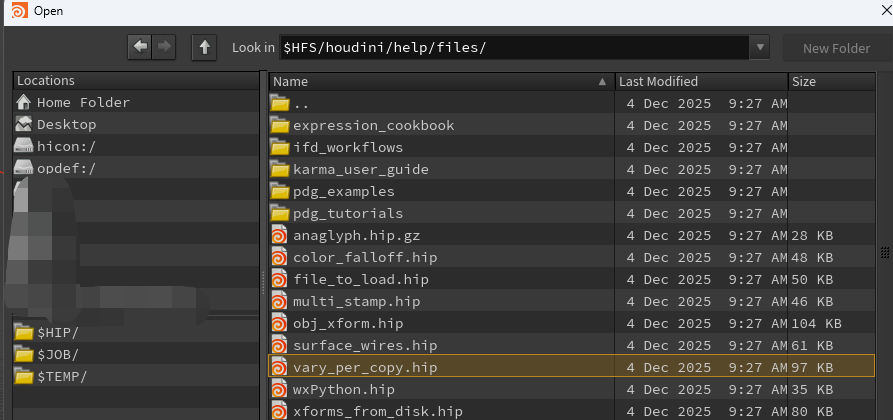
Open 또는 Merge로 아래 경로의 파일을 열면 예제 파일을 볼 수 있다.
$HFS/houdini/help/files/vary_per_copy.hip
- 관련 공식 문서 1
https://www.sidefx.com/docs/houdini/copy/tutorial_stamping.html
For-each copy tutorial
At this point we've simply reproduced the output of the original Copy to Points in a more complicated way! But now that we've set up the copy in a loop, we can vary the geometry per-copy. Select the circle node. In the Divisions field, enter the following
www.sidefx.com
- 관련 공식 문서 2
https://www.sidefx.com/docs/houdini/copy/copytopoints.html#foreach
Copying geometry to points
Note In previous versions of Houdini, this workflow was done using a process called copy stamping. Newer versions of Houdini have a For-Each loop in the geometry network that makes this workflow more efficient, easier to set up, and easier to understand. T
www.sidefx.com


댓글