개요
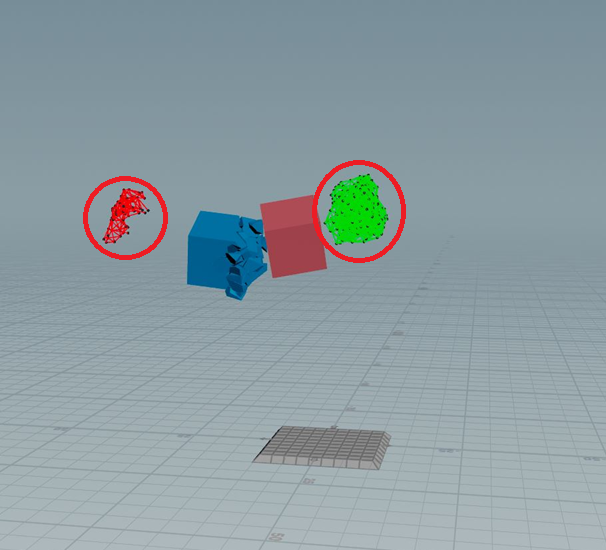
Deforming 오브젝트를 Active로 전환시키면,
다음과 같이 Constraint가 조각을 제대로 따라가지 않고, 오류가 난다.
이 문제로 골머리를 앓다가 동일한 문제에 대한 해법을 찾게 되어 공유한다.
해결법
deforming을 사용하지 않고, animated로 구성하는 것이다.
extract transform과 transform pieces 조합을 사용하면 가능하다.
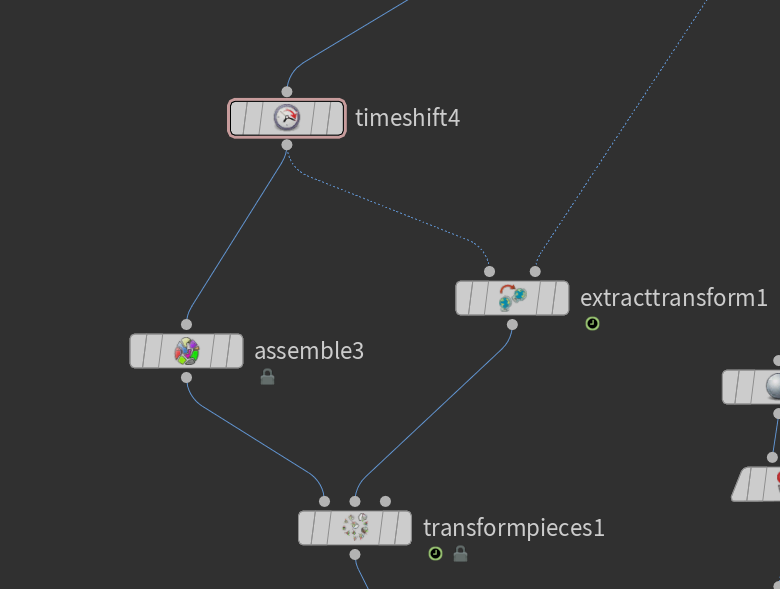
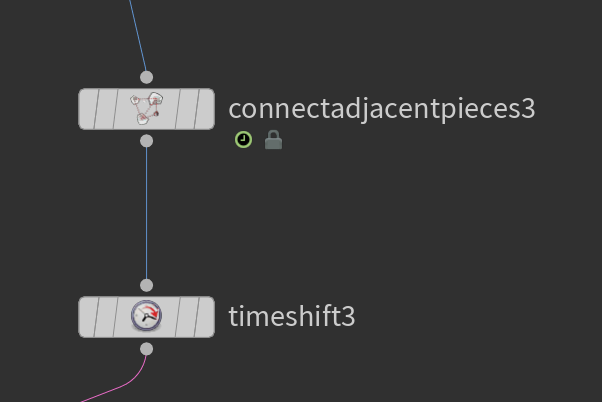
또한 constraint는 reference (= rest, = hold)프레임에 timeshift로 정지 시켜놓아야한다.
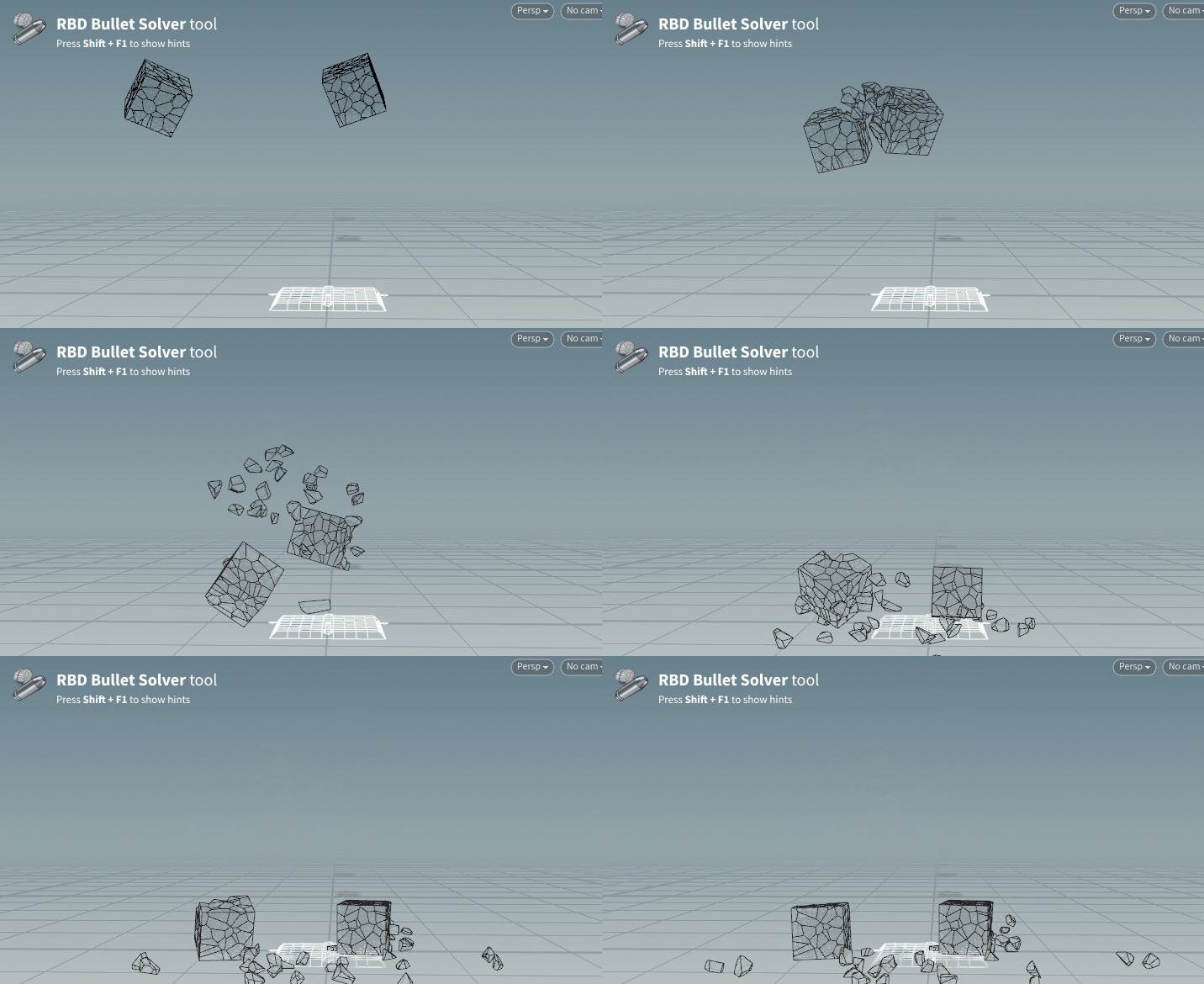
적용 결과
첨부파일
아래 링크에 있는 첨부파일과 동일하다.
참고링크
https://www.sidefx.com/forum/topic/90653/?page=1#post-393715
Constraints Not Following Deforming RBD Objects | Forums | SideFX
www.sidefx.com
- 답변 내용
Is this what you are looking for?
I had this issue a long time ago when teaching a similar effect... trying to get a plane to disintegrate when it hit the ground while maintaining the anim for the part of the plane that did not disintegrate.
Key here is to use the extract transform setup to make the geo animated instead of deforming (this is a good trick to greatly speed up any "deforming" geo sim anyway). Also, lock the constraints at the rest frame.
Note the attrib transfer for active/deforming. You could add another for when the cubes hit the ground. Also you can make a more sophisticated attrib transfer where the two objects collide, this is obviously just proof of concept.
Note the bullet solver SOP is unlocked so I could change it to "animated static" geo. This option is not promoted to the top.
Full disclosure, I didn't figure this out myself, Sidefx helped me with the solution.
'이펙트 (FX) > 이펙트 팁 : Houdini' 카테고리의 다른 글
| [Houdini] 담배 연기 만드는 법 소개 (Cigarette Smoke) (0) | 2025.08.19 |
|---|---|
| [Houdini] 뷰포트 Secure Selection 기능 장단점 (연속 선택, 연속 편집시 필수) (0) | 2025.08.15 |
| [Houdini] Dopnet 구조와 Sop Solver DOP에 대한 이해 (1) | 2025.08.15 |
| [Houdini/RBD] 파괴 조각내기 마스터클래스 소개 (Fracturing, Voxyde) (0) | 2025.08.13 |
| [Houdini/RBD] 파괴 워크플로우 공식 학습법 소개 (Destruction, hip 첨부) (0) | 2025.08.13 |


댓글